
Install decision
Sportybet Tanzania app: Android 7.0+ and about 50MB free space
The Sportybet Tanzania app adds cash out, partial cash out and win notifications on top of the mobile site, packaged as what the operator calls a fast, light build. Before installing, check the OS version and storage this specific device needs.


Download path
Two official routes onto a Tanzanian phone
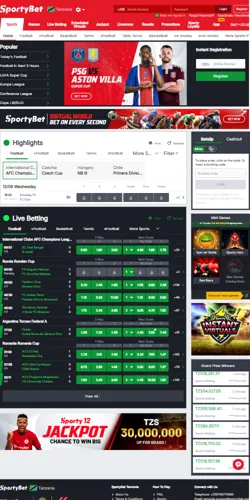
The app tab on the operator's own site offers a direct APK download for Android and a direct IPA download for iOS, rather than routing every install through an app store first. A separate Android listing also exists on Google Play for Tanzania, so the same app can arrive by either route depending on which one a device trusts more.
iOS installs still need the direct download link opened on the device itself, since the IPA cannot be dropped in from a desktop browser session the way some Android APKs are. A user comparing this to a typical banking app install will notice one extra step: SportyBet's own page, not just a store listing, becomes part of the install chain.
Compatibility check
What this phone needs before the file even opens
Reported minimum requirements are Android 7.0 or iOS 11.0, with roughly 50MB of free storage on either platform, according to third-party installation guides cross-checked against the operator's own emphasis on a compact app size. That figure is not confirmed on SportyBet's own mobile page, so treat it as a practical planning number rather than a guaranteed cutoff.
A five-year-old Android handset still running 6.0 will not pass this threshold, and no amount of free storage fixes that. Storage matters separately: 50MB free is a low bar next to a typical banking or messaging app, but a phone already down to its last few megabytes will still fail the install regardless of OS version.
| Platform | Minimum OS | Free storage needed |
|---|---|---|
| Android | 7.0 or later | About 50MB |
| iOS | 11.0 or later | About 50MB |
App-only features
Cash out lives in the app, not just the browser tab
Cash out and partial cash out are the two features SportyBet's own mobile page leads with, letting a bettor lock in part of a return before a match finishes rather than waiting on the full result. Win notifications sit alongside that: the app pushes an alert when a bet settles, instead of requiring a manual check of the bet history tab.
None of this requires the mobile browser to be closed permanently — the same account and bet history carry across both, so switching between app and browser mid-session does not create two separate profiles. The trade-off is device storage and update management, which a bookmarked browser tab never asks for.
A bettor comparing this to the mobile browser will notice one practical gap: cash out timing depends on the market staying live, not on which channel is open, so switching to the app mid-match does not create a faster cash-out window on its own.
Installation step
The one Android setting that blocks most installs
Android treats a direct APK download as an "unknown source" by default, so the file will not install until that permission is allowed in the device's Security settings. This is a one-time setting change per app source, not a permanent security downgrade, and it can be switched back off after installation if a user prefers.
Skipping this step is the most common reason a downloaded APK sits unopened in a downloads folder. iOS handles the equivalent differently: an IPA opened through Safari on the device installs without a matching settings toggle, but a first-time security prompt may still appear before the app opens.
Account and support
One account, checked once, works on both channels
Registration itself is not owned by this page — the phone-number-and-password process, age confirmation and password recovery are covered in full where the account is first created, and the app uses the same login rather than a separate signup. What belongs here is narrower: after installing, the same OTP-based verification applies whether it arrives through the app or the mobile browser, so a code that fails to arrive is a network or SMS issue, not an app-specific fault.
Tanzania-specific support for the app runs through a dedicated local channel: phone support at +255748774890 and email at tanzania.support@sportybettanzania.com, both distinct from a generic regional help desk. That local routing matters if an install or verification issue needs a human response rather than a generic FAQ page.
A support ticket routed to the wrong contact rarely gets resolved faster just because it was sent twice — using the Tanzania-specific line first, rather than a generic regional inbox, is the more direct path when an install or OTP problem needs a real answer.